PRESET 01
2Hz
Sleep
01
v1.0.0
Two apps · one purchase
Undertone composes sound on your device — nothing else has to be playing. AURA lays a low tone over music you are already playing. Different jobs, one payment.
Get both — $39 once Try Undertone — 30 min free Try AURA — 30 min free
One purchase, two apps, four files. Undertone 0.7.0 and AURA 1.2.0, each for Windows and Android. Neither is finished: you get them early, later builds arrive free at the same address, and they keep improving only while people back the work.
One payment · 14-day full refund, no questions · no account, everything on-device.
AURA needs headphones or earphones — it cannot work through speakers. Undertone works through speakers too.
02
2 APPS
They are not two versions of the same thing. One makes the sound; the other works on sound that is already there.
| Item | Undertone | AURA |
|---|---|---|
| What it does | Composes the sound itself, live on your device | Lays a low tone over sound you are already playing |
| You need | Nothing else — it is the source | Your own music, from any app |
| Speakers | Yes, and headphones too | Headphones only |
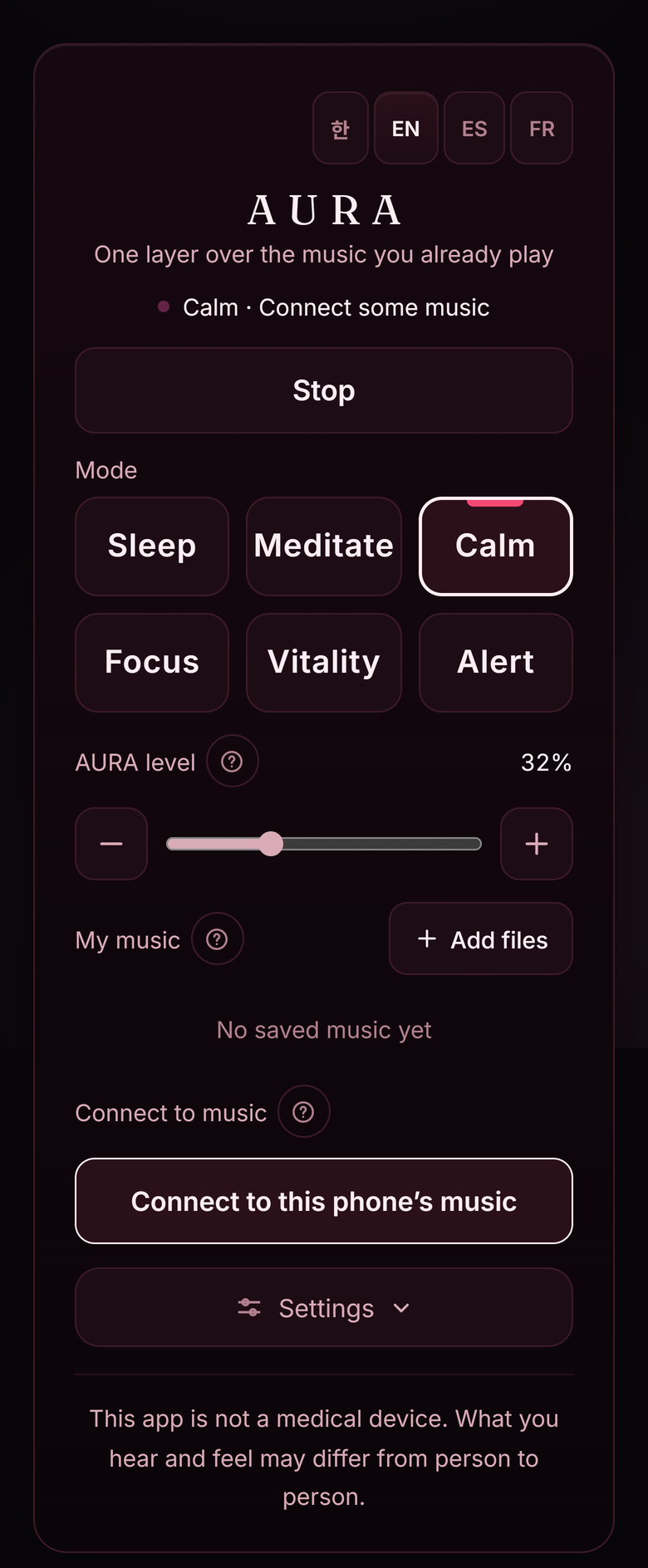
| Choices | 5 states — Sleep, Meditate, Calm, Focus, Awake | 6 modes across 0.5–40 Hz |
| Free trial | In the browser · 30 minutes a session | In the browser · 30 minutes a session |
| Paid editions | Windows · Android | Windows · Android |
| Price | USD 39.00 · once · both apps, all four files | |
03
0.5-40 Hz
About AURA
Each number is the gap between the two frequencies sent to your left and right ear. The larger the gap, the faster the beat.
PRESET 01
2Hz
Sleep
PRESET 02
6Hz
Meditate
PRESET 03
7.83Hz
Calm
PRESET 04
10Hz
Focus
PRESET 05
18Hz
Vitality
PRESET 06
28Hz
Awake
* 7.83 Hz is the same number as the value known as the Schumann resonance.
04
2 CHANNELS
About AURA
Send slightly different frequencies to each ear and you hear a slow pulse at the difference between them. It has nothing to do with the tempo of the music.
That difference only appears when each side reaches one ear alone. This is why headphones are required.
The pitch of the added tone is set by measuring the range and brightness of the music. AURA does not play along with it. All of this happens on your device — there is no path by which your music leaves for a server.
05
4 FILES
One payment, two apps, four files — Windows and Android for each. If you want to hear them first, both run free in the browser, 30 minutes at a time.
| Undertone | Composes the sound itself. Five states, no recordings, no loops. Works through speakers as well as headphones. Windows and Android included. Try free for 30 min → |
|---|---|
| AURA | Lays a low tone over your own music. Six modes, no session limit once paid. Headphones required. Windows and Android included. Try free for 30 min → |
| Both | $39, paid once. Four files, downloadable the moment you pay. No account, no licence key. Buy for $39 → · What is included |
| Free trials | Both run in the browser with nothing to install. Each session stops after 30 minutes; press play again for another 30. |
| Requires | Windows 10 or later, 64-bit · Android. Using a Mac? Count me → |
| Equipment | AURA: headphones or earphones · Undertone: anything |
| Counted. No date — thank you. |
This app is not a medical device. What people hear and feel varies from person to person.